PixieVerse COMMUNITY IDEAS
Our ticket holders have great ideas we are happy to share with you.
04/18/2023 Idea by Theresa Taylor
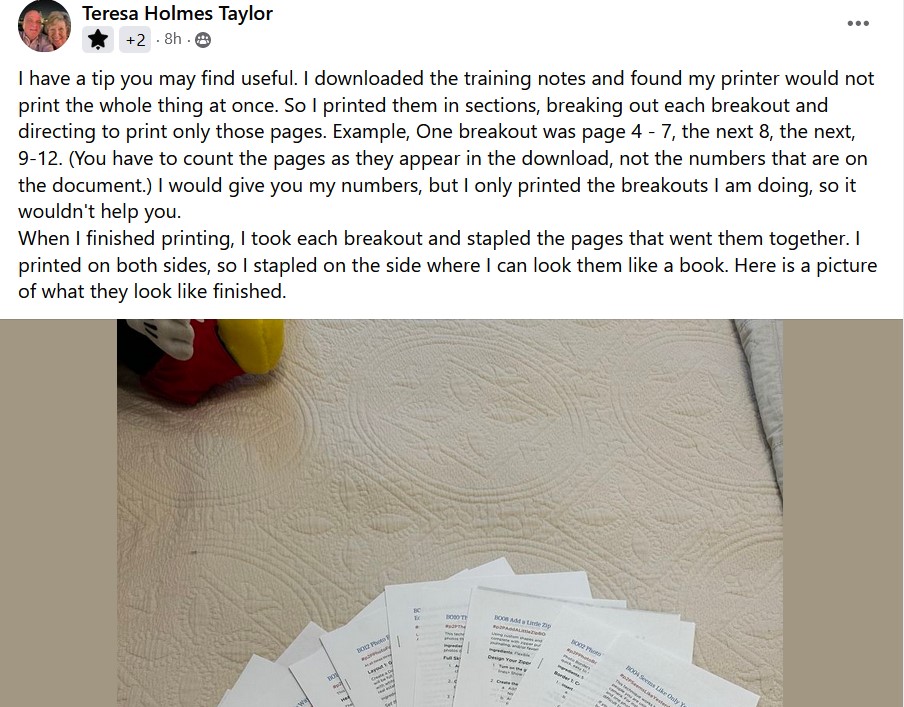
"I downloaded the training notes and found my printer would not print the whole thing at once. So I printed them in sections, breaking out each breakout and directing to print only those pages. Example, One breakout was page 4 - 7, the next 8, the next, 9-12. (You have to count the pages as they appear in the download, not the numbers that are on the document.) When I finished printing, I took each breakout and stapled the pages that went them together. I printed on both sides, so I stapled on the side where I can look at them like a book."
04/18/2023 Idea by Karen Prusiewicz
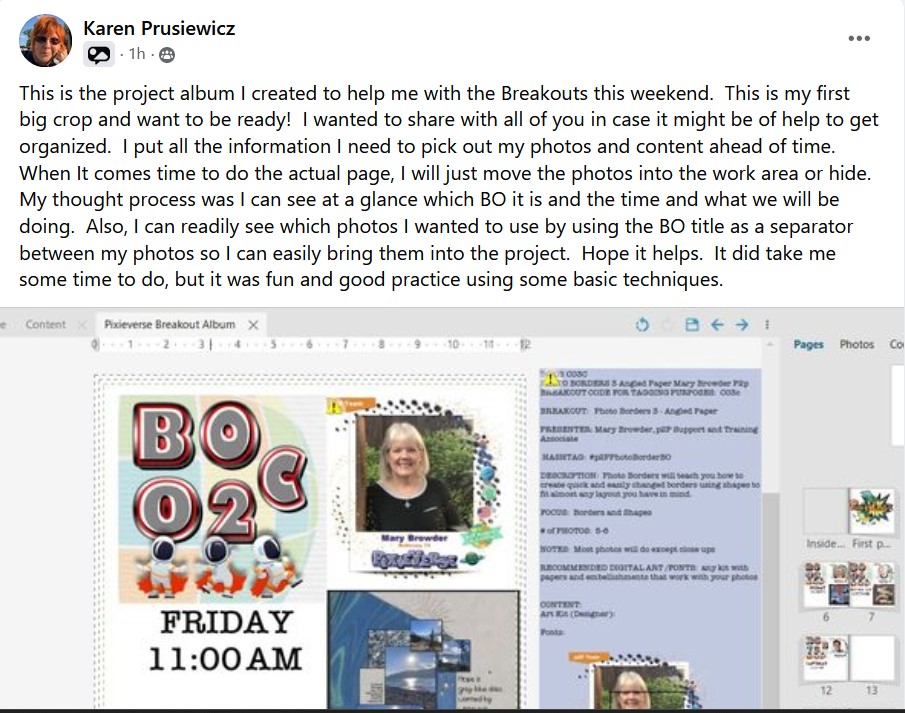
"This is the project album I created to help me with the Breakouts this weekend. I put all the information I need to pick out my photos and content ahead of time. When It comes time to do the actual page, I will just move the photos into the work area or hide. My thought process was I can see at a glance which BO it is and the time and what we will be doing. Also, I can readily see which photos I wanted to use by using the BO title as a separator between my photos so I can easily bring them into the project."
04/17/2023 Idea by Brenda Graff
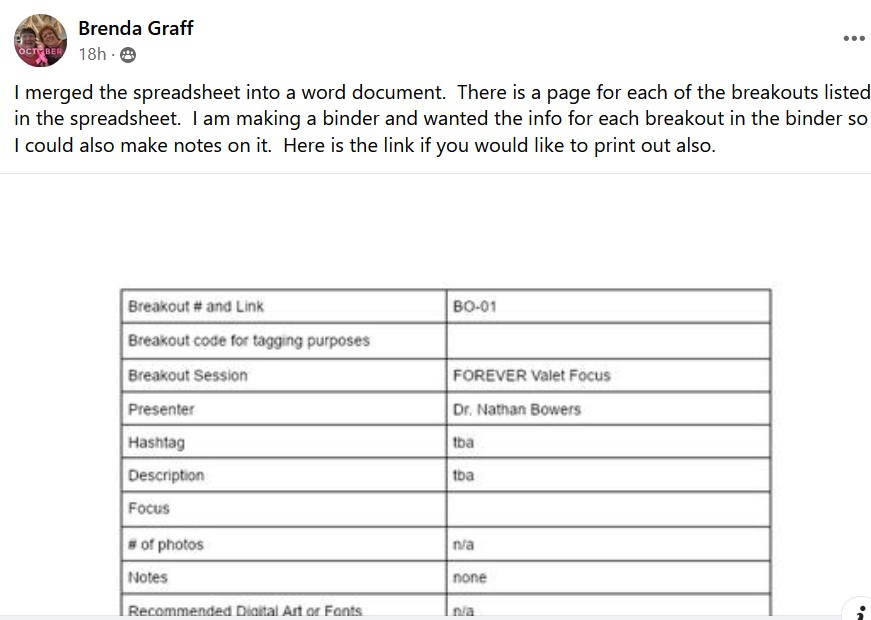
"I merged the spreadsheet into a word document. There is a page for each of the breakouts listed in the spreadsheet. I am making a binder and wanted the info for each breakout in the binder so I could also make notes on it. Here is the link if you would like to print out also."
04/04/2023 Idea by Kathleen Eichler
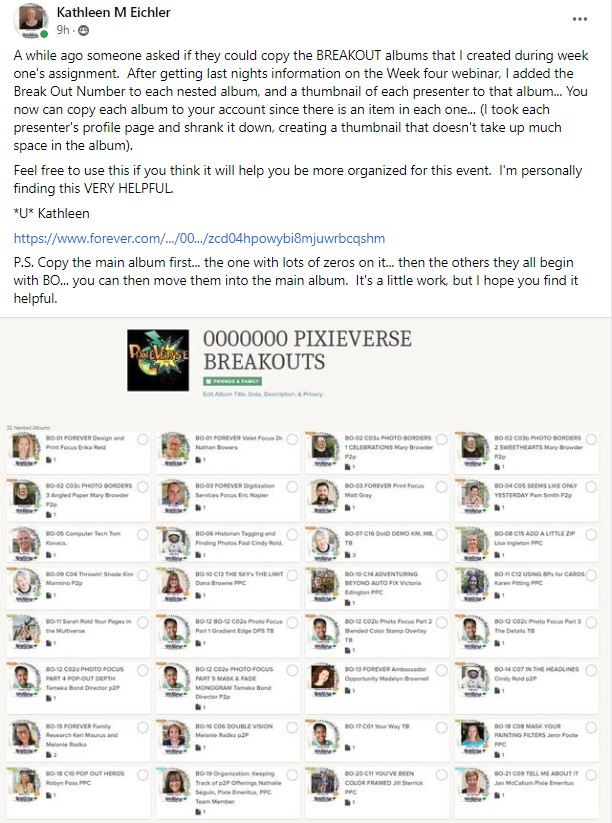
"A while ago someone asked if they could copy the BREAKOUT albums that I created during week one's assignment. After getting last nights information on the Week four webinar, I added the Break Out Number to each nested album, and a thumbnail of each presenter to that album… You now can copy each album to your account since there is an item in each one… (I took each presenter's profile page and shrank it down, creating a thumbnail that doesn't take up much space in the album).
Feel free to use this if you think it will help you be more organized for this event. I'm personally finding this VERY HELPFUL."
CLICK HERE TO VISIT ALBUMS
P.S. Copy the main album first… the one with lots of zeros on it… then the others they all begin with BO… you can then move them into the main album. It's a little work, but I hope you find it helpful.
03/28/2023 Idea by Michele Stacy-Amsdill
Did you know your p2P 11x8.5 BluePrints will work in a Mouse Pad?? The mouse pads are NOT 11x8.5 but are the same ratio, so the template fits perfect! Tameka just happened to mention this in a Breakout session at a p2P Live I attended. Just in case you wonder if you learn useful things at them 🥰

03/28/2023 Idea by Kathleen Eichler
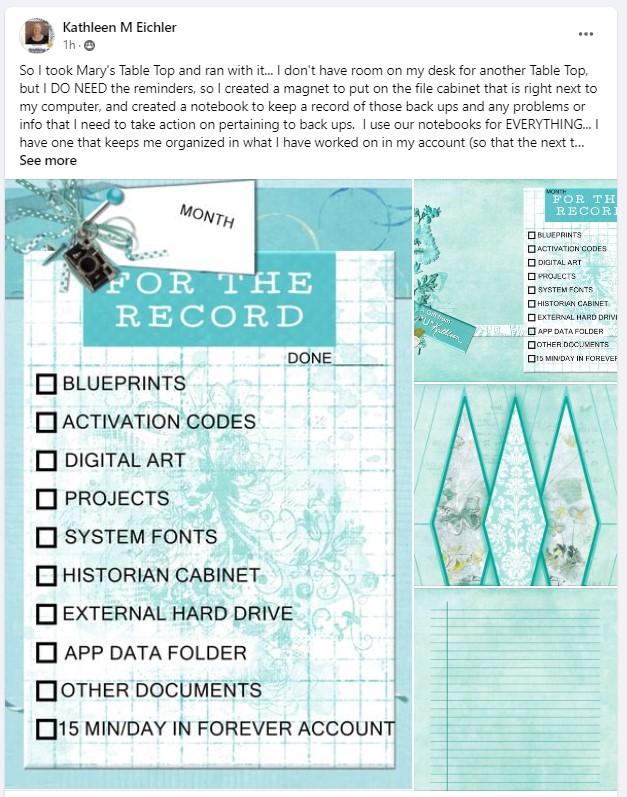
So I took Mary's Table Top and ran with it… I don't have room on my desk for another Table Top, but I DO NEED the reminders, so I created a magnet to put on the file cabinet that is right next to my computer, and created a notebook to keep a record of those back ups and any problems or info that I need to take action on pertaining to back ups. I use our notebooks for EVERYTHING… I have one that keeps me organized in what I have worked on in my account (so that the next time I can pick up where I left off) I have sticky notes to help me find specific items I've jotted down (like questions to ask FOREVER FAMILY RESEARCH, or to look up)… and of course jotting down notes for TELL MY STORY… I have dedicated a double page for each topic… and fill with ideas and things to look for) anyway… I needed some more 'gift' cards so thought heck I'll use a BP… (thanks for the idea Karen Karen Siegel Fitting- can't wait for your break out to do this, but eagerly awaiting further inspiration. U Kathleen
03/27/2023 Idea by Janice Schank
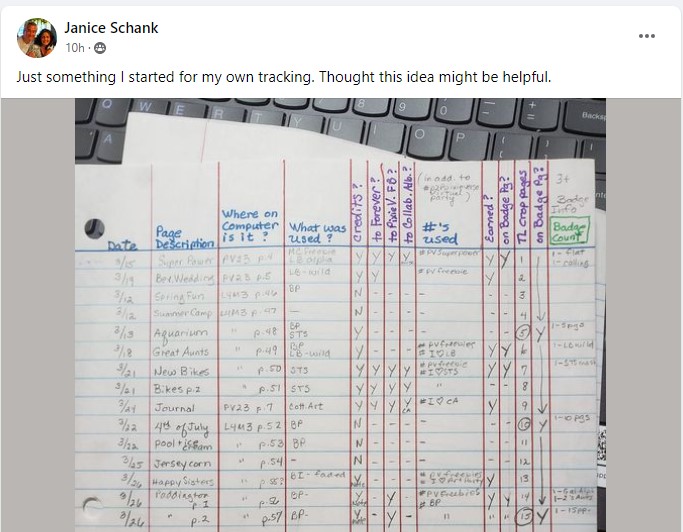
Just something I started for my own tracking. Thought this idea might be helpful.
03/25/23 Idea by AnnMarie Mahon
This process works well for me and it may work well for others:
I keep all information for each page in notepad. hashtags, Content, Challenges. I also include the techniques I use, the subject of the photo and the final destination of the page. Below, Flowers is the subject of the page, Out and About 2023 is the project it needs to go into.
I have attached a snip - Windows has changed that process so you can annotate. Fun stuff

03/23/23 Idea by Donna Jolley
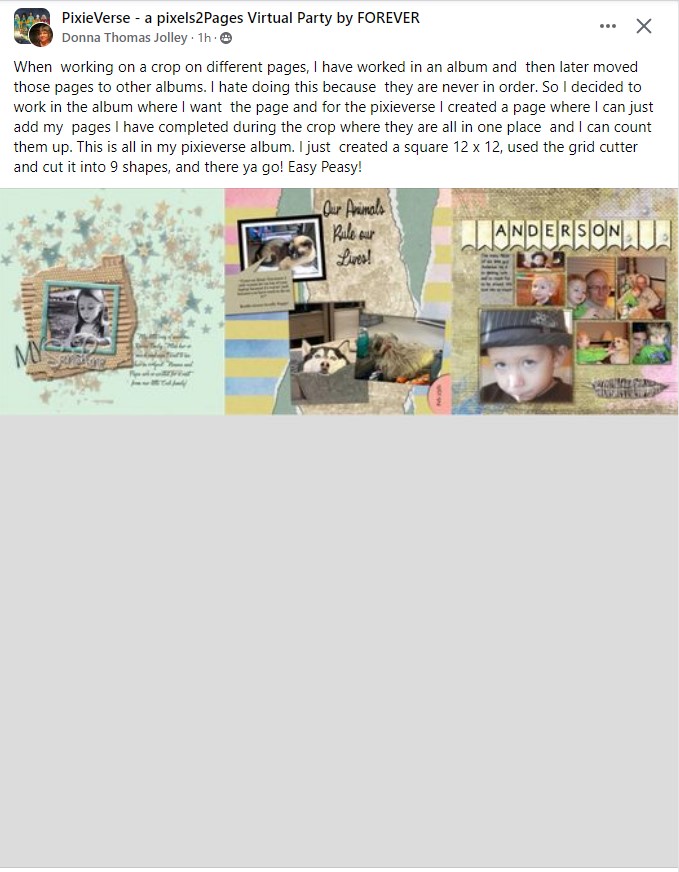
"When working on a crop on different pages, I have worked in an album and then later moved those pages to other albums. I hate doing this because they are never in order. So I decided to work in the album where I want the page and for the pixieverse I created a page where I can just add my pages I have completed during the crop where they are all in one place and I can count them up. This is all in my pixieverse album. I just created a square 12 x 12, used the grid cutter and cut it into 9 shapes, and there ya go! Easy Peasy!"