Over the Rainbow Pre-Crop Week 6 Activities
Welcome to Week 6 of Over the Rainbow pre-crop activities. Training Weekend is just a few days away.
The official hashtag for this event is:
#p2POTRVirtualParty
Use this hashtag on every post you make for Over the Rainbow, in addition to hashtags specific to each offering. Hashtags will be provided throughout the crop. Hashtags matter because they help people find similar posts easily. Clicking on a hashtag pulls up all posts with that same hashtag.
Weekly Webinar
For the past 5 weeks, we have presented live webinars to help you get ready for our training weekend. This week, the pixels2Pages Team is traveling and getting ready to throw you a fabulous Virtual Party. It is for this reason that the Week 6 webinar is pre-recorded.
The recording of the Week 6 Webinar will publish on
Monday, April 15, 2024 at 9:00 PM Eastern Time
CLICK HERE to watch the recording
Note: The link will not work until its schedule publish time.
Digital Art Distribution
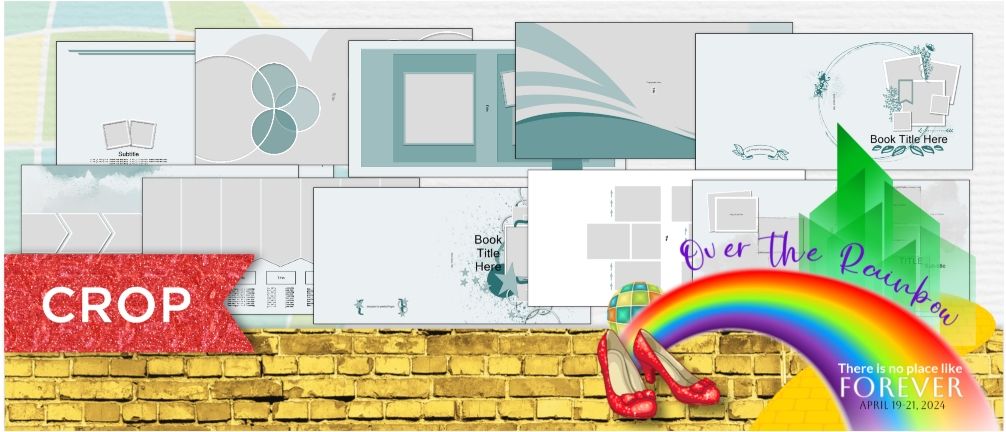
Our sixth and final distribution is our Cover Blueprint Collection. These Blueprints will make the perfect first impression for your albums. Visit your goody bag to get a closer look at these designs.
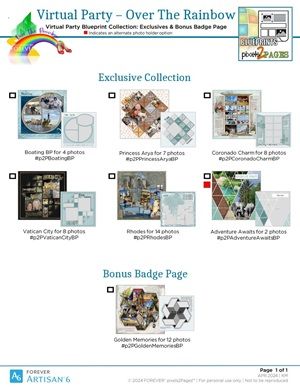
Exclusive Blueprint Checklist
We will be seeing lots of winners added to the Winner's Circle. Here is a checklist for all of the new Exclusives available for this event.
Goody Bag Challenge:
This is the final challenge before Training Weekend and it will give you the opportunity to win an Exclusive Blueprint or a seat at our Exclusive Meet and Greet:
- Use one of the Cover Blueprints that you received and create a cover for a book that you have not yet started. This can be for an upcoming trip or a trip you just returned from. Of course, if it is something in the future, you won't have photos for it. Complete the cover as much as you can imagine it to be. This will help you look forward to the next project on your list. -Post your page to the pixels2Pages Community using the following hashtags: #p2POTRGoodyBag and #p2PIveGotItCovered
These challenges will promote this event and potentially get additional people to join. All winners for this challenge will be chosen from Facebook, however, you are welcome to post to the Cover Collection Collaborative Album for a chance to be selected to win a prize during our random drawings.
Training Page and Digital Idea Book:
The subsite for Training Weekend is now available. You can visit it to view the idea book, training notes (available 4/15/24), and register for webinars. Check it out and get ready for an epic weekend.
Mandatory Badge Activities
These are the activities you must complete in order to earn your badge for the Week 6 activities.
- Peruse the Idea Book on the Training Page and then look at the photos you have previously selected. If the photos you chose don't seem like a good fit, take some time to choose some additional photos to work with.
- Register for all breakouts that you intend to attend live.
- Download distribution 6 and add your Blueprints to your Blueprint Folder.
- Check the News section and make sure that you are up to date and have read all available news.
Optional Badge Activities
These are the activities you may choose to do , but they are not required in order to earn your Week 5 badge.
- Create a page/pages for the Goody Bag Challenge.
Collecting Your Week 6 Badge
To collect your Badge for Week 6
CLICK HERE to fill out a short survey

CLICK HERE to watch the recording of the Week 6 Webinar
Link active at 9:00 PM on April 15, 2024.
CLICK HERE to return to the Interactive Agenda Home Page
CLICK HERE TO REQUEST AN IMAGE/PAGE BE DELETED FROM A COLLABORATIVE ALBUM
Gallery

Share your creation on Facebook.
Share any pages you create using this technique to the pixels2Pages Facebook Community using the following hashtag:
#p2POTRVirtualParty
View Gallery Page credits and/or share your pages in a Collaborative Album.
Want to share your page in our Gallery? Maybe you want to know which kits and fonts are used on a page. Visit our Collaborative Album by clicking the button below.
Tip: Upload and Properly Credit Your Pages
Tip: Adding Photos to the Collaborative Album